Oct 13, 2026 - By Team Relaio
Voice AI + CRM Handoffs: A Practical Checklist
Voice AI + CRM Handoffs: A Practical Checklist
Voice AI can make a sales conversation faster to handle, but the CRM handoff determines whether a person can act on what happened. Before connecting a voice agent to a customer record, define which record it may read, what it may write, who owns the next step, and what happens when the match or call outcome is uncertain.
This checklist is for teams evaluating or configuring a voice AI and CRM workflow. It does not assume that any particular vendor has a native CRM connection or can perform every action described below.
Start with the handoff, not the integration label
“CRM integration” can describe several different behaviors: looking up a record before a call, creating a contact, adding a call note, changing a lead stage, assigning an owner, or opening a follow-up task. Ask the vendor to demonstrate each required behavior in the system your team uses. A connection label alone does not establish which data moves, in which direction, or under what permissions.
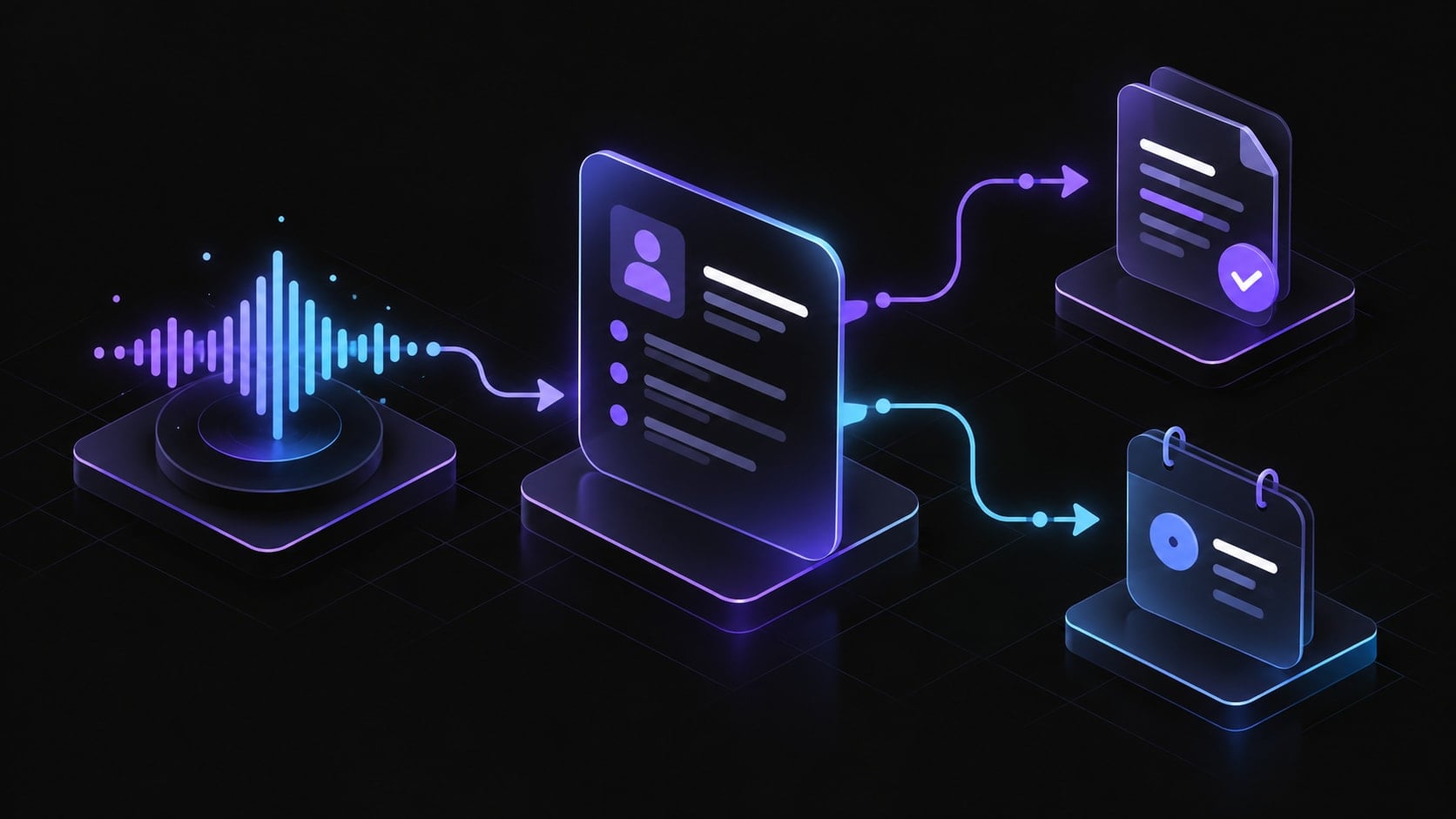
Write down the desired outcome first. For example: after a permitted inbound qualification call, the CRM should contain the call outcome, the facts the caller explicitly gave, the unresolved questions, and the person responsible for the next action. That is a specification to verify, not a claim that every system supports it.
Map the minimum useful workflow
| Stage | Decision to make | Evidence to verify |
|---|---|---|
| Record match | How will the workflow distinguish a known contact from a new or duplicate record? | Match fields, confidence threshold, duplicate handling, and a safe “no match” path |
| Context read | Which fields may guide the conversation? | Allowed fields, freshness, access controls, and behavior when a value is missing |
| Conversation | Which questions and outcomes are in scope? | Approved script, disclosures, stop conditions, and escalation triggers |
| Record write | What should be stored after the call? | Field mapping, source labels, note format, write permissions, and audit history |
| Ownership | Who is accountable for the next step? | Named role or queue, deadline, and notification behavior |
| Exception | What if the call or CRM action fails? | Retry limits, visible error state, duplicate prevention, and human recovery path |
Keep the first deployment narrow. A single call outcome and a small set of explicitly approved fields are easier to inspect than a broad request to “sync everything.” Expand only after the initial records can be reconciled against the call and the workflow’s audit trail.
Define what the agent may read and write
Separate read permissions from write permissions. A voice agent may need a lead’s name and inquiry source to identify context, while having no need to read unrelated account notes. For writes, specify the exact destination fields and whether the system may create or modify a record.
Use a field map during vendor review:
- Call outcome: completed, no answer, requested human, or unresolved.
- Caller-stated facts: store only information the person supplied or clearly confirmed.
- Summary: separate confirmed facts from the agent’s interpretation.
- Next action: task, owner, and due time only when the workflow actually creates them.
- Source and timestamp: preserve where the interaction came from and when it occurred.
- Uncertainty: use an explicit unknown or review state; do not convert a guess into a CRM fact.
Agree on retention, access, correction, and deletion procedures with the teams responsible for privacy and security. Review the applicable laws and channel rules for the markets and call types involved. This checklist is not legal advice.
Make human handoff a first-class outcome
Escalation should be a defined result, not an exception hidden in a transcript. Set triggers for a direct request to speak with a person, conflicting record data, a sensitive or out-of-scope request, low confidence, a complaint, or a failed CRM action. Decide whether the person receives a live transfer, a callback task, or a clearly labeled review item; verify the chosen route end to end.
The handoff note should make the next action clear without presenting inference as fact. Include the caller’s goal, confirmed details, what remains unknown, any promise actually made, and who owns follow-up. If no owner or due time can be assigned, surface that gap rather than marking the workflow complete.
Test failure paths before launch
Run controlled tests with synthetic records first. Include a matching contact, no match, duplicate candidate, missing field, caller correction, request for a person, interrupted call, CRM timeout, permission denial, and repeat event. For each, confirm that the workflow creates no unintended record changes and that a person can see what needs attention.
During a limited pilot, review a sample of call recordings or transcripts where permitted, compare each CRM write with the underlying conversation, and track exceptions by type. Pause expansion if records are misattributed, sensitive details are stored in the wrong field, callers cannot reach a person, or errors are invisible to the team. These are operational checks, not promised performance outcomes.
Vendor questions to bring to a demo
- Which CRM objects and fields can the product read or write today, and how is each permission configured?
- Can the team inspect an audit trail showing the source conversation and every changed field?
- How does the system handle ambiguous matches, duplicates, retries, and partial failures?
- Can a human take over during a call, and what context is passed to them?
- What is retained, for how long, and how can a record be corrected or removed?
- Which call types, markets, and consent or disclosure rules must the customer configure?
- Which requested actions require a separate workflow, connector, or implementation step?
A practical readiness rule
Proceed only when the team can explain the record-matching rule, the minimum permitted data, the exact write behavior, the human recovery path, and how to audit a failure. If one of those is unknown, keep the workflow in a test environment and resolve it before connecting production records.
For general risk-management context, consult the NIST AI Risk Management Framework. Relaio describes AI-assisted sales conversations and lead workflows publicly, but a specific CRM connector, field mapping, or automatic record update should be confirmed for the intended setup before it is represented as available.
If you are evaluating a sales-conversation workflow, talk with the Relaio team about the use case and the exact capabilities that need verification.