Oct 12, 2026 - By Team Relaio
How to Automate SDR Workflows with AI

Short answer: An AI SDR workflow should handle defined parts of inbound lead response: capture the inquiry and its source, identify the prospect’s need, ask only the qualification questions that affect the next step, then route, schedule, or hand off with the conversation context intact. Set rules before automating; a meeting request is not a booking, and uncertainty should go to a person.
What an AI SDR workflow should automate
An AI SDR workflow is a repeatable process that helps a sales development team respond to and organize a new prospect conversation. For inbound leads, it can support the first response, qualification, next-step selection, meeting requests, and transfer of useful context to a sales representative. The human team still defines qualification, owns exceptions, and remains responsible for the commitments it makes.
The goal is not to automate every sales conversation. It is to remove avoidable gaps between a prospect’s inquiry and a clearly owned next action. Keep the workflow narrow enough to test and easy for a representative to review.
Define qualification before configuring the workflow
Write down what “qualified” means for this particular offer. A useful definition might combine a real business need, fit with the product or service, a relevant decision timeline, and willingness to take a next step. The criteria will differ by company, so do not rely on a generic score or assume that one answer makes a lead sales-ready.
Use separate outcomes rather than forcing every prospect into a single score. Each result should trigger a defined next action:
| Qualification outcome | Evidence to look for | Recommended next action |
|---|---|---|
| Ready for a rep | A relevant need, sufficient fit information, and a clear request to speak or take a next step. | Assign an owner, pass the conversation context, and honor the requested callback or meeting request. |
| Needs more information | Interest is present, but one or two decision-relevant details are missing. | Ask one focused follow-up question or route for review if the answer needs judgment. |
| Not now / nurture | Possible fit, but timing or readiness is not immediate. | Record the prospect’s stated timing and agreed next contact; send later follow-up only under the team’s contact rules. |
| Not a fit | The stated need is outside the team’s documented service or qualification criteria. | Explain the limitation accurately, close or redirect the inquiry, and avoid placing it in a sales sequence. |
| Unclear / human review | Answers conflict, context is incomplete, or the request falls outside approved handling. | Pause automated decisions and send the source, conversation, and unresolved question to a human owner. |
Treat “unclear” as a valid outcome, not a failed score. Ask only the questions needed to distinguish these states, and preserve the evidence behind each classification.
Design the decision path before automating
An SDR workflow needs clear entry rules, qualification evidence, permitted next actions, and an owner for exceptions. Test missing details, channel preferences, failed record updates, and unavailable owners before expanding the process. The example shows how those decisions can work together.
Example: a demo inquiry with a clear owner
Consider a prospect who submits a website inquiry asking whether a sales team can manage inbound calls and messaging, and requests a product discussion next week. The workflow records the form source, the exact question, the contact details and any channel preference the prospect provided. It acknowledges the inquiry through the configured response channel, then asks only what is needed to route it—for example, which channels are in scope and who should join the discussion.
The answers show a relevant use case and an explicit request to speak, so the outcome is Ready for a rep. The system records the qualification evidence and the requested timing in the configured CRM or shared lead record. Because calendar availability has not been checked, it records a meeting request rather than confirming a slot. The assigned representative receives the original inquiry, answers, source, and next action, then confirms a time with the prospect using the requested channel. If the answers were contradictory, the workflow would instead pause for human review.
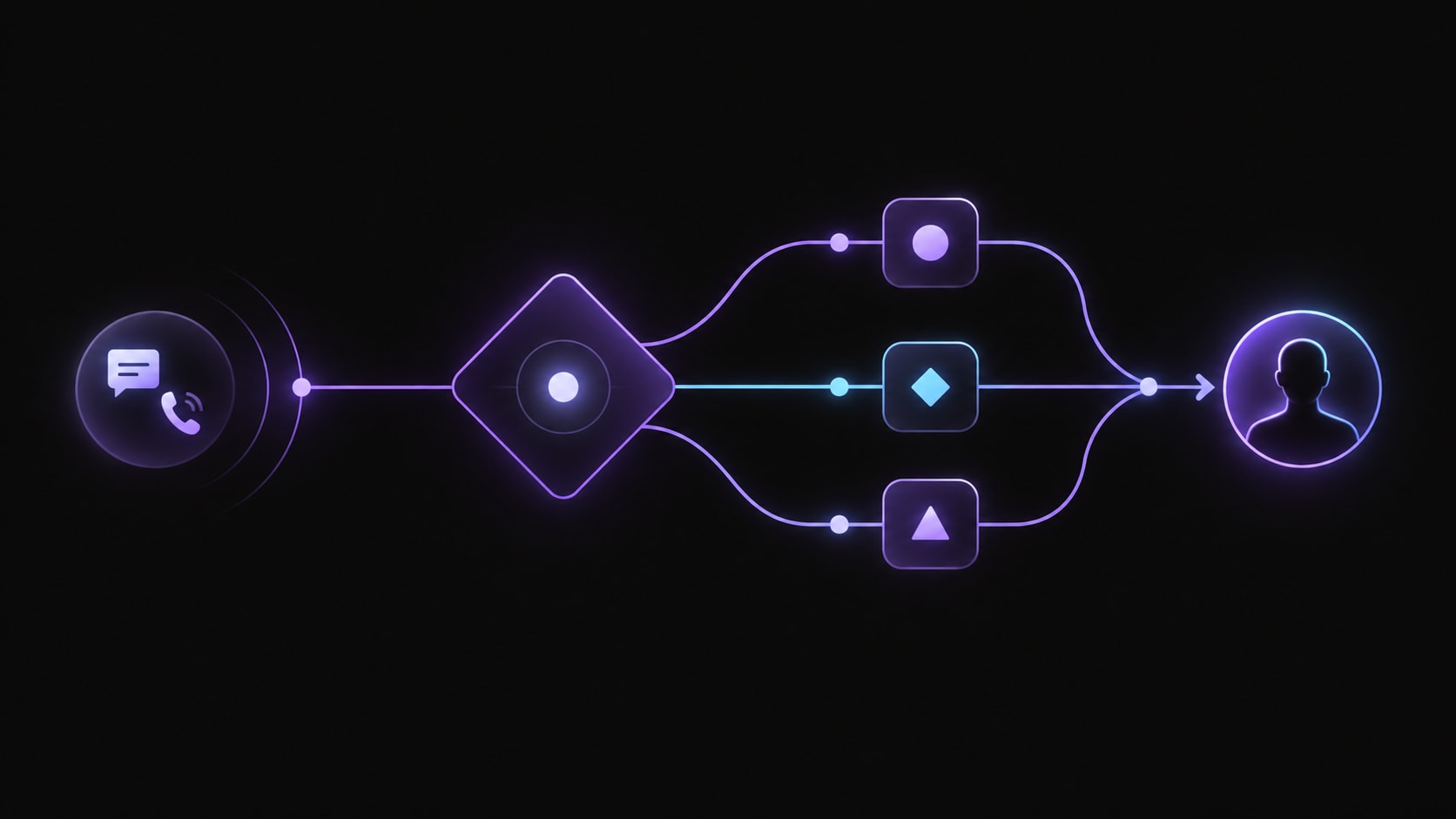
An inbound SDR workflow routes each inquiry toward a clear, human-owned next action.
Give each channel a clear role
Choose a channel from the inquiry, the prospect’s preference, and the workflow that is actually configured. A channel appearing in the product description does not by itself confirm that every deployment supports the same behavior.
| Channel or role | Useful place in an inbound workflow | Guardrail |
|---|---|---|
| Website / web chat | Capture the page or form source and the question the visitor submitted. Relaio’s public site identifies website inquiries as a lead source; confirm whether a particular setup uses a form, live chat, or another route. | Do not promise a live chatbot or visitor qualification until that feature is confirmed for the deployment. |
| Voice | Clarify a request that is easier to discuss, capture answers, or honor a prospect’s request for a call. | Use approved scripts and transfer when the prospect asks for a person or raises an exception. |
| WhatsApp / messaging | Continue a conversation where the prospect has chosen messaging, or send a concise response through the configured messaging workflow. | Follow the business’s permissions and applicable platform rules; do not treat an inquiry as blanket permission for unrelated promotions. |
| Email follow-up | Send a requested summary, longer explanation, or follow-up the prospect can refer back to. | Keep the content relevant to the inquiry and respect contact preferences. |
| Human sales representative | Handle advice, negotiation, exceptions, ambiguous answers, and requests for a person. | Pass the original source, answers, unresolved questions, and agreed next step so the prospect does not have to start over. |
Follow the prospect’s stated channel preference when the configured process permits it, and preserve context when the conversation moves between channels.
Set clear handoff and stop rules
An AI SDR workflow should stop and ask a person to take over when the prospect requests a representative, asks for a commitment the system cannot verify, raises a complaint, or describes a need outside the approved process. Also define what happens when the conversation is ambiguous, the lead record cannot be updated, or the intended owner is unavailable.
At handoff, include the prospect’s original request, relevant qualification answers, unresolved questions, conversation channel, and the agreed next action. The representative should not receive only a label such as “qualified.” Keep a visible status for transfers that fail or are not accepted so that a human can recover the conversation.
Treat meeting requests as requests until confirmed
An AI SDR may collect preferred days or times and pass them to a representative. It should confirm a meeting only when the scheduling process has checked real availability and recorded the appointment. If that is not connected or cannot be verified, describe the next step as a request and set an owner to confirm it.
Test unavailable slots, time zones, rescheduling, and booking failures. Do not present a calendar or CRM connection as native unless it is verified for that deployment.
Preserve context in the lead record
The CRM or chosen lead system should make the next action clear to the person who receives the handoff. A practical record can include the inquiry source, stated need, qualification evidence, questions still open, selected owner, last interaction, and next action with its status. Keep the prospect’s own words or a concise summary when useful, and distinguish confirmed facts from assumptions.
Assign one owner per outcome and test duplicate inquiries, reassignment, failed updates, and cross-channel replies. Make the lead’s current status and next action visible.
Measure workflow quality, not automation volume
Set a baseline before changing the process and use consistent definitions. Useful measures include the share of inbound leads with an owner, qualification completion, successful handoff, meeting requests that become confirmed meetings, duplicate follow-up, unresolved conversations, and human corrections. Review samples of conversations alongside the totals; a high automation count does not show whether the prospect received a useful answer.
Compare like-for-like sources and periods. Investigate rising handoff failures or human corrections before expanding the automation.
AI SDR workflow checklist
Before launch, confirm that the team can answer these questions:
- Which inbound inquiries are in scope, and which are excluded?
- What evidence makes a lead qualified, not ready, or unclear?
- Which questions are necessary, and what information should not be collected?
- Which answers and commitments are approved, and which require a person?
- Who owns each result, including a failed or unanswered handoff?
- What systems and channels are actually connected and tested?
- When is a meeting request confirmed, and what happens if scheduling fails?
- Which conversation fields and outcomes will the team review after launch?
Where Relaio fits in the workflow
Relaio’s public product positioning brings together voice, WhatsApp, email automation, lead records, and workflow building for sales communication. In an inbound SDR process, that can provide the response and follow-up layer: handle configured first-contact tasks, capture qualification context, and make the next action visible for a sales representative. The human team still defines qualification criteria, owns exceptions, and confirms commitments that require live availability.
Check the exact channel setup and CRM or calendar connections for the intended deployment; the public feature overview does not establish that every integration or booking flow is native. Explore the Relaio platform or discuss your workflow with the team. For related context, see how agentic voice AI can take action and how voice conversations can preserve CRM context.
Frequently asked questions
Which qualification outcomes should an inbound SDR workflow track?
Use outcomes that prompt distinct actions, such as ready for a representative, needs more information, not now, not a fit, and unclear. Keep the reason and supporting answers with each outcome so the team can review how the rule was applied.
How many questions should an AI SDR ask before routing a lead?
Ask only the questions needed to choose the next step. If one missing detail changes ownership or eligibility, ask that question; avoid a long script that collects information the team will not use.
What context belongs in an SDR handoff?
Include the original inquiry and source, the prospect’s stated need, relevant qualification answers, unanswered questions, selected owner, and the agreed next action. Separate confirmed information from assumptions.
What should happen when an inbound lead cannot be classified?
Pause automated progression, mark the outcome unclear, and route the conversation to a named owner with the conflicting or missing information highlighted. Do not silently enroll the lead in a nurture sequence.
Turn every inquiry into an owned next step
Design the qualification rules, handoff, and lead record before expanding automation. Discuss your workflow with Relaio.